
In the realm of AI and machine learning, particularly when working with Large Language Models (LLMs) and Retrieval-Augmented Generation (RAG), having access to well-structured textual data is crucial. PDFs are a common format for documents, but extracting their content into a more usable format like Markdown can be challenging. In this post, I will explore several methods to extract PDF content and convert it into Markdown format. Such as using tools like PyMuPDF4LLM, Docling, and MinerU etc.
1. Using PyMuPDF4LLM

PyMuPDF4LLM is a Python library specifically designed to extract text from PDF files and convert it into Markdown format, optimized for LLMs.
Features:
- Support for multi-column pages
- Support for image and vector graphics extraction (and inclusion of references in the MD text)
- Support for page chunking output.
- Direct support for output as LlamaIndex Documents.
Usage
You can install the library using pip:
1 | pip install pymupdf4llm |
Here is a simple example of how to use PyMuPDF4LLM to extract text from a PDF and convert it to Markdown, and store as a UTF8-encoded .md file:
1 | import pymupdf4llm |
For the detailed instructions, please refer to the official website
2. Using Docling
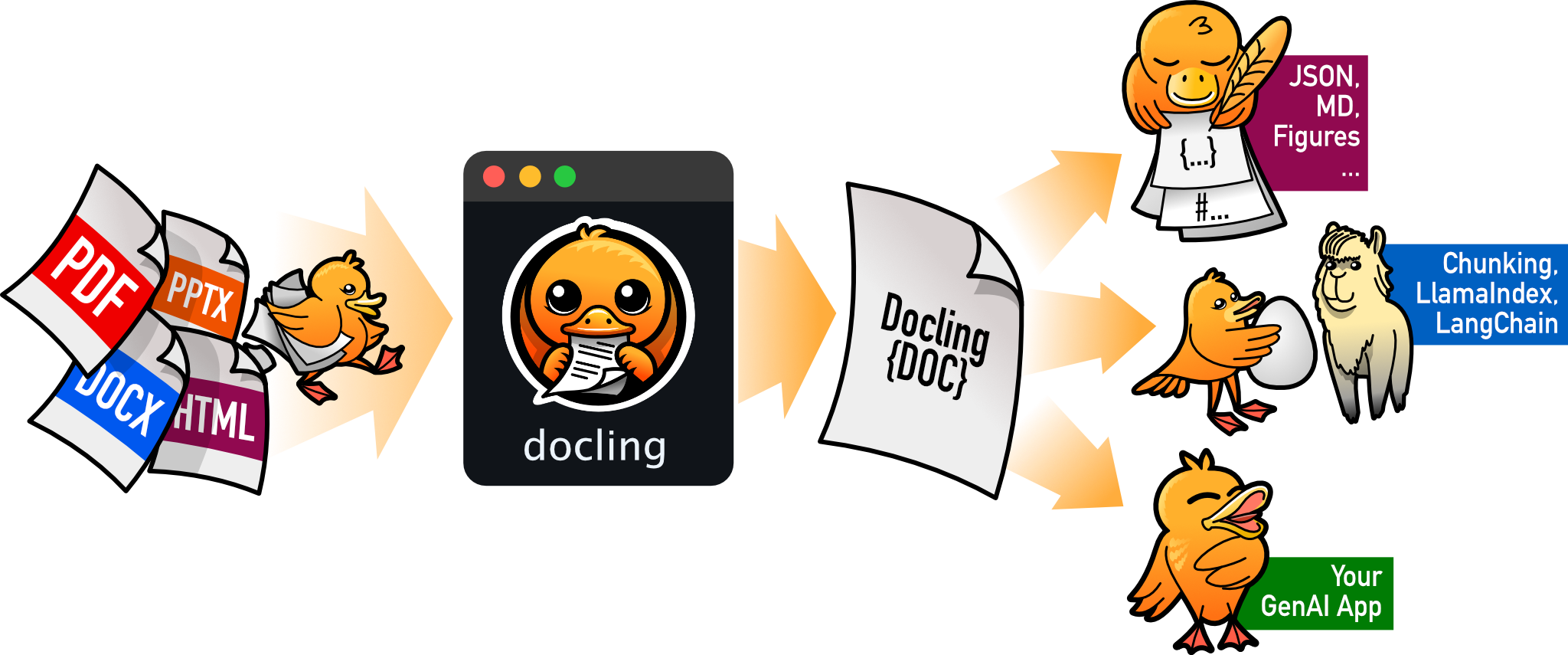
Docling Preps Your Files for GenAI, RAG, and Beyond. It simplifies document processing, parsing diverse formats — including advanced PDF understanding — and providing seamless integrations with the gen AI ecosystem.
Features
🗂️ Parsing of multiple document formats incl. PDF, DOCX, PPTX, XLSX, HTML, WAV, MP3, VTT, images (PNG, TIFF, JPEG, …), and more
- 📑 Advanced PDF understanding incl. page layout, reading order, table structure, code, formulas, image classification, and more
- 🧬 Unified, expressive DoclingDocument representation format
- ↪️ Various export formats and options, including Markdown, HTML, DocTags and lossless JSON
- 🔒 Local execution capabilities for sensitive data and air-gapped environments
- 🤖 Plug-and-play integrations incl. LangChain, LlamaIndex, Crew AI & Haystack for agentic AI
- 🔍 Extensive OCR support for scanned PDFs and images
- 👓 Support of several Visual Language Models (GraniteDocling)
- 🎙️ Support for Audio with Automatic Speech Recognition (ASR) models
- 🔌 Connect to any agent using the Docling MCP server
- 💻 Simple and convenient CLI
Usage
You can install Docling using pip:
1 | pip install docling |
To convert a PDF to Markdown using Docling, you can use either the CLI or Python API. Below is python example:
1 | import pathlib |
For the detailed instructions, please refer to the official GitHub repository
MinerU

MinerU is a tool that converts PDFs into machine-readable formats (e.g., markdown, JSON), allowing for easy extraction into any format. MinerU was born during the pre-training process of InternLM.
Features
- Remove headers, footers, footnotes, page numbers, etc., to ensure semantic coherence.
- Output text in human-readable order, suitable for single-column, multi-column, and complex layouts.
- Preserve the structure of the original document, including headings, paragraphs, lists, etc.
- Extract images, image descriptions, tables, table titles, and footnotes.
- Automatically recognize and convert formulas in the document to LaTeX format.
- Automatically recognize and convert tables in the document to HTML format.
- Automatically detect scanned PDFs and garbled PDFs and enable OCR functionality.
- OCR supports detection and recognition of 109 languages.
- Supports multiple output formats, such as multimodal and NLP Markdown, JSON sorted by reading order, and rich intermediate formats.
- Supports various visualization results, including layout visualization and span visualization, for efficient confirmation of output quality.
- Supports running in a pure CPU environment, and also supports GPU(CUDA)/NPU(CANN)/MPS acceleration
- Compatible with Windows, Linux, and Mac platforms.
Usage
Install MinerU using pip or uv:
1 | pip install --upgrade pip |
The simplest command line invocation is:
1 | mineru -p <input_path> -o <output_path> |
For the detail, please refer to the official GitHub repository.